Wassup in a Minute Trend: How to Make the Hillside Video From Photos
The Wassup in a Minute trend step by step: who goes where, the photos that work, the free preview, the full video, and adding the sound in TikTok and Reels.
Three friends on a foggy green hillside run at the camera, grab their heads, take turns in a close-up and dance it out to "wassup, been a minute". That 14-second clip is the version of the trend everyone copies. Here is how to make yours from one to three photos, without a mountain, a tripod or twenty takes.
1Upload one photo per friend
Photo 1 dances in the middle and gets the close-up; photos 2 and 3 are the friends at the front right and on the left. With fewer photos, new faces fill the other places. Adults only.
JPG, PNG, WebP or HEIC · under 20 MB0/3 photos
Add 1 to 3 photos, one each, in the order of the slots.
Photos that work best
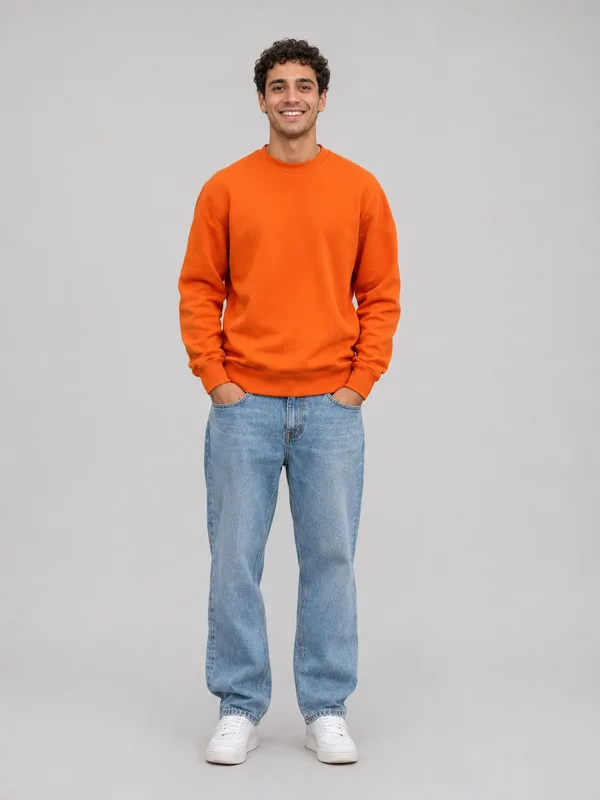
- Clear, waist up
- Screenshots, stickers
- Head only
- Too dark or blurry
- 14 s video
- 4:3, like the original
- Original song available
- No watermark
2Choose your version
By making a video, you confirm you own these photos or have permission from everyone in them, and they don't show celebrities or anyone under 18.
Renders in about 5–10 minutes. We email you the link. Automatic refund if the photo can’t be used or the render fails.
Step 1: Decide who goes where
The clip has three places, and each photo takes one:
- Photo 1, the middle. This is you. You get the close-up in the second shot, so this photo matters most.
- Photo 2, front right. The friend closest to the camera at the start.
- Photo 3, left. The third friend.
Only photo 1 is needed. With one or two photos, new faces dance the empty places, so you can make it solo, as a duo or as the full trio.
Step 2: Pick photos that work
The video follows the face, hair and clothes in each photo:
- A clear face for photo 1. Facing the camera, daylight, no sunglasses, no hat, no hand in front of the face.
- Head to waist. Everyone keeps the outfit from their photo, so show it.
- One person per photo. Crop friends out of group photos. Skip mirror selfies: the phone can show up in your video.
Step 3: Check the free preview
Add your photos on the home page and sign in. Your first preview is free: 2 seconds of photo 1 in the close-up, the shot where the face is biggest. It takes a few minutes. If the face looks right, make the full video; if not, try a sharper photo first.
Step 4: Get the full video
The full video is all four shots in 14 seconds, in 720p HD, from the same photos: one click on the preview page. The video, shot by shot shows what happens in each one.
One video is $6.99, two are $10.99 and three are $14.99, for example a solo, a duo and the full trio. Videos you buy never expire.
Step 5: Add the sound and post
You get two downloads. For TikTok and Reels, post the silent one and add the trend sound in the app, so your video is listed under the trend:
- Open any Wassup in a Minute video on TikTok and tap the sound name at the bottom.
- Tap Use this sound, then upload your video.
- Start the sound at the beginning of the clip: the cuts are timed to it.
- Turn on the AI-generated content label and post.
On Instagram Reels it works the same way: tap the audio name on a Reel of the trend, then Use audio. Use the copy with the sound for anywhere else, like a group chat, and the 9:16 copy if you want it full screen.
If something looks off
- The face doesn't look like you. Use a sharper, front-facing photo in even light; side angles and group photos give the AI less to go on. Check it with the free preview before the full video.
- The other dancers aren't your friends. Places without a photo are danced by new faces. Add a photo 2 and a photo 3, one person each.
- The video failed. It's refunded automatically: a video from a pack goes back to your balance, a single video back to your card or wallet.
Not sure photos are the way to go? CapCut vs filming vs AI compares them, and what the trend is covers the song and where it came from.